







The Best 6 Ways To Create Your Own Bokeh

bokeh_heartLittle more than half a year ago, I published a guide to create your own bokeh. This guide provides a simple technique to shape the bokeh of the unfocused elements in your picture.

Here are the best 6 pictures that employed this technique, courtesy of DIYPhotography readers. I was glad to find creativity both in the shapes used (guess what? Hearts wins the jackpot) and the creativity using this technique.

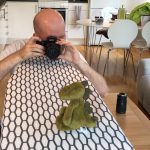
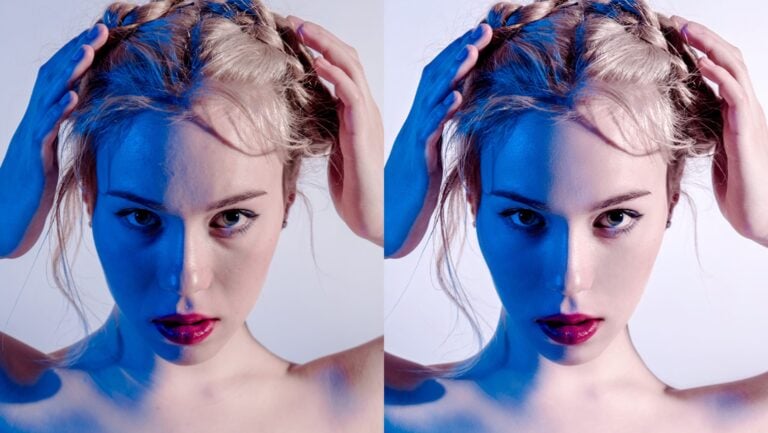
Picture 1 by joy_sale - use interesting bokeh where not expected - a nightly portrait.

create_your_own_bokeh_01.jpg

Picture 2 by JoshuaRaymund - Match the bokeh shape to the picture shape.

create_your_own_bokeh_02.jpg

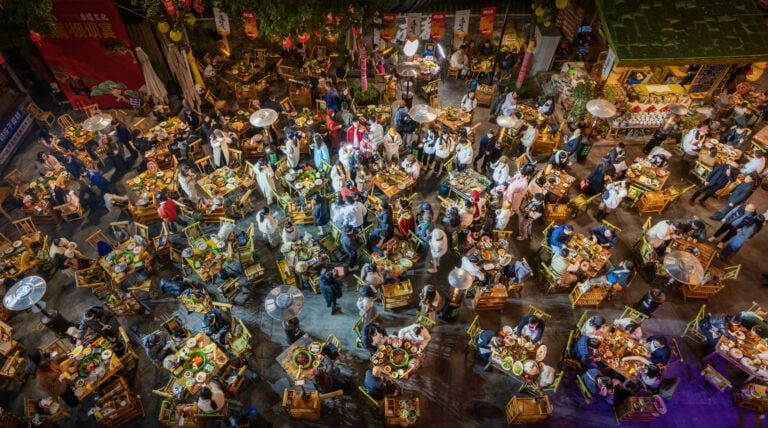
Picture 3 by _barb_ - Put butterflies in a forest

create_your_own_bokeh_03.jpg

Picture 4 by Navin Shetty - Take a lovely nightscape.

create_your_own_bokeh_04.jpg

Picture 5 by JoshuaRaymund - crate stars shaped bokeh.

create_your_own_bokeh_05.jpg

Picture 6 by silkegb - Make a sweet picture with a before and after look.

create_your_own_bokeh_06.jpg

Made a cool bokeh of your own? Let us know by showing off in the comments section.

Great Bokeh Lenses:

Get the DIYP greatness via RSS, newsletter and Twitter
Connect with the community:Facebook Page, Discussions, Readers Projects
Share Ideas, Setups, Images and Projects on DIYP's Flickr, visit Readers Photos

Comments

Playing around

  • November 17, 2007
  • SharkSurfer

I was recently playing around with this, heres what I came up with:
IMG_8228
IMG_8225
IMG_8224
IMG_8223

Beautiful shots, are you

Beautiful shots, are you willing to share exactly how you achieved these?

Amazing!

I've tested it this night.. and the results are wonderfull!!
Great idea! =)

I've also tried to build my one reversing ring for macro, but it didn't went the great!! I've cut a finger with a knife...!! I guess i've learned the hard way to be carefull! eheheh!! =)

Thank You for sharing this information...!!
I've tried to build my one Mini bouncer for flash, with k-line and golden spray...! The results are warmer pictures.. if you calibrate the WB to the golden exposure, the background (if were photographing in daylight!) goes blue, wich creates an interesting color in the final result...!
you can check the results at http://www.flickr.com/camil0

Hugs!!

Any hopes of achieving this

  • December 6, 2007
  • Anonymous

Any hopes of achieving this with a point & shoot?

Sadly, no. Point and shoot

  • July 30, 2008
  • Mark Suffoulk Spitz

Sadly, no.

Point and shoot cameras use such a small sensor that their depth of field is nearly infinite. They pretty much just don't produce bokeh whatsoever, so this technique won't work with them I'm afraid. I suppose you can always try though. All you have to lose is 2 cents and a few minutes of time.

I've tried.........

Fantastic, simple and very funny.

BOKEH

This was easy as pie and fun!! I am amazed at the ease of this. Now I'm inspired to do more, a lot more with this thing you call Bokeh :)

I am posting my first attempt at it!! Dont laugh :)

iheartu

iheartu2

Great hearts, Pixi

  • December 12, 2007
  • udijw

nothing to laugh about.
I payed a visit to your site. Lovley! I loved the Bethany shots.
- udi

new links to my bokeh!

Thanks udi, I really like all the info I am getting from this web site, it is so helpful!!
I had 2 pictures posted on flickr.com but I needed to repost them so I deleted the above pics but here they are again, in full size!!

iheartu2

iheartu

Bokeh at the Dollar Store

  • January 30, 2008
  • Anonymous

Try the dollar store for some pre made single hole punchers. I got a heart, star, moon, diamond/square, butterfly, and what I think is a 5 petal flower.... all for a dollar each...beats trying to cut them by hand, which I am not very good at.

bokeh filters

  • April 10, 2010
  • readingred

Thanks for your suggestions re the filters, tried them to great effect, but really struggled with getting the hole in the centre of my disc. Bought a pre made punch, but it doesn't reach the middle. Am I missing a trick here, coz what should be a simple operation is driving me nuts!

Dollar Store Hole Punchers?

  • January 30, 2008
  • Paul

I'd love to know which dollar store and where? We have a number of them in NYC. Of course I've never thought to look for such a thing. It would be cool to find one of these hole punchers.
I'm also wonder if it may be possible to make such a lens hood to fit around the zoom lens of my P&S Kodak Z712 IS camera.
Does the light just bounce around the inside of the hood to produce these multiple shapes in the photos?

lens hood

  • February 1, 2008
  • Tak

@Paul

It's not the light bouncing around, it's only the shape of the hole you cut/punch in the paper. You don't need a hood, just a piece of paper cut to pretty much the exact size. If you have a filter for your lens (UV or Skylight, or anything basically) you can trace around that to get your diameter. Bokeh is a term that describes the unfocused elements in the picture, that's why the subject can be in focus and only the background elements will take the shape of your cutout. Lenses with fewer iris blades or is it diaphragm blades will be less "round" and create rougher out of focus elements. I'll see if I can dig up a link to some pics showing the difference. Some people obsess over it while most people don't even know what it is even when it's pointed out.

This fun project is like "custom bokeh" and while I haven't tried it yet, I will soon!

Will this work with video cameras?

  • March 13, 2008
  • Peter

I have a video camera that has a f1.8 aperture, though the imager is much smaller than digital SLR.

While the custom bokeh works with my SLR lens, when I try with my camcorder, it is only a vignette. Has anyone successfully tried this on a camcorder? Or any ideas as to how I can get it work?

I'm using a Canon HV20, by the way, if that's of any help.

Thanks,
Peter

I will try this

This is an awesome effect. What a neat way to add information and emotion to a photo. As asked above, I am most interested if this will work with video, and I bet that it will. I will be trying it out. Thanks for the good work everyone!

is it essential

  • April 11, 2008
  • tralala

is it essential to have a 50mm f1.8 lens to achieve this effect?

how do you do those shot on

how do you do those shot on bokeh? to have a sharp subject in the foreground, and get the heart-shaped bokeh?

Heart shaped Bokeh

  • May 10, 2008
  • udijw

Hi Timonty,

Look at this article for the complete shaped bokeh tutorial.

- udi

Just a question

  • May 20, 2008
  • Anonymous

i havent really tried this technique, i just want to know if this will work with an aperture of 3.5? i have the nikor dx 18-135. thanks :)

Here's what I have.... Used

  • August 12, 2008
  • gon

Here's what I have....
Used a star as the shape and the flash from my camera to enlighten my subject....

Water Drop & Bokeh Love by ME :)

Thanks for the great tips, this is one of my bokeh love that i've done, you can view more on my flickr photostream by clicking the image...

Very Nice and Clean

How do you create such high quality pictures like that? I am trying to get into this alittle bit but unclear as to which direction to go! I am going to bookmark your site for future reference, keep up the good work!

This is awesome!

I was wondering what to do with my 50mm when I bumped into this. Simply loving it!


wow

they're indeed very beautiful. Looks very professional and crisp. Any other secrets you can share?

re: secrets

  • October 14, 2008
  • udijw

We revealed all the secrets here: Removing The Mystery From The Heart Shaped Bokeh Thing

Lamp Bokeh

I just chanced upon this webpage, very nice, I did this for Diwali - the festival of lights!!

-P)

Thanks for your Overview

Yes, babies take half your brain with them - which means I have none left....

I don't know how you do it but your flower bokeh shots are simply amazing. Definitely FP.

It's great - i finally made

  • November 6, 2008
  • tamara

It's great - i finally made mine and had a go with it tonight - here is my butterflies jumping out of fireworks!
A bunny chasing butterflies???

inspiring

I quickly tried it last night and am hooked. Its so easy this time of year because you can shoot holiday lights at night for a great effect. Thanks for the inspiration!

This was my first attempt...

Bokeh magic!

Open Office Draw for Bokehs

  • December 7, 2008
  • Zaug

I am using Open Office's Draw application (free! & excellent) for making the Bokehs. It has a multitude of pre-made shapes - stars, etc. Here is a sample file in open office draw's native format:
http://www.catmtn.com/temp/bokeh_sample.odg
...and another with a custom star and and improved heart shape:
http://www.catmtn.com/temp/bokeh_sample-2.odg
Simply resize the shape and/or the circle, for your lens, center the shape in the circle (select the circle then the shape, then use the centering buttons), print on high quality paper and cut out. One might also give the white side a shot of flat black spray paint, after cutting.
Thankz!! to all contributors to this idea - likely the coolest thing I have come across since immersing myself in photography.

Updates for these files

  • February 24, 2009
  • Zaug

There are now updates for these files with many more shapes, including templates for Cokin P sized covers; all available here:
http://www.catmtn.com/blaug/?p=293

heres mine...

i used the logo of a snowboard-factory i often do pictures for... first try but quite nice i guess...

thanks for sharing this idea!!!

http://www.ortmaniacs.de/TMP/peter/JK0P9148webfr.jpg

confused

  • December 19, 2008
  • chi

this sounds like a great idea, i'll have to try this this weekend.. but i'm having a hard time figuring out how your camera can take a picture when the front end is covered up with the exception of the heart shaped cut out.

wouldnt the majority of the picture come out black, b/c it's blocked. It will probably make more sense if i just go ahead and do it rather than sit here and theorize about it. =)

Does it have to be a 50 mm lense that you use

  • December 25, 2008
  • Patricia

I'm curious....... Does this only work with a 50 mm lense or is there any other lenses that it will work with?

thank you!

free texture . heart bokeh

50mm is best

  • January 31, 2009
  • robogobo

a 50mm lens is the best for two reasons. a) they're the cheapest way to get a wide aperture, and therefore a blurred background with a sharp foreground and b) they're usually physically shallow, and the shaped bokeh effect is best when the cutout is close to the center of the lens, lengthwise, so taping a shape to the front of the lens will vignette a bit but not much. All light passes through the center focal point of a lens, where the aperture blades are located. The closer to that point, the better.

Do you need a fast speed

  • January 31, 2009
  • Cameron

Do you need a fast speed film when doing this?

Useing a Cokin for a bokeh!

  • February 10, 2009
  • Philthy

So I've recently had the idea of using my Cokin filter system (www.cokin.com) for a custom bokeh holder! Just cut some black card stock to the right size, find the center (this is MUCH easier on a square shape than a circle), cut or punch the bokeh shape, insert. "Lather, Rinse, Repeat. It's that easy"

Great Idea! ; )

  • February 25, 2009
  • Zaug

Scroll up a few posts in this thread and have a look at my posts, about the same.

Here's my shot at it:

I initially made one of these a while ago, but then decided to bring it out again because it's a great and easy way to impress girls. Thanks, DIYP!

Lover's Lane

It's All Behind Me..

I have been experimenting to

  • March 17, 2009
  • groovyone

I have been experimenting to get this to work on my FF SLR, but I need a bigger cutout. Great fun though!

a couple of mine

starry eyes
Main Street Bridge in Jacksonville, FL

santa bokeh
Santa

Interesting..

  • April 4, 2009
  • Anonymous

This just gave some new insights. We all know that Canon's 50MM 1.8 II creates ugly bokeh (not a perfect circle, but rather a pentagon). So if I make something like this in the shape of a perfect circle, in effect, it should correct the 50MM's bokeh?

Aside from that, will there be no light loss?

Thanks!

-Francis

Here is my shots

More at my photoblog ----> http://www.my-cameras-pov.blogspot.com

Amazing

These are amazing pictures and a great way to add character to your photos. I can't wait to get out there and try some pictures like this.

a 50mm lens is the best for

a 50mm lens is the best for two reasons. a) they're the cheapest way to get a wide aperture, and therefore a blurred background with a sharp foreground and b) they're usually physically shallow, and the shaped bokeh effect is best when the cutout is close to the center of the lens, lengthwise, so taping a shape to the front of the lens will vignette a bit but not much.

Can I get bokeh with my Minolta X-7A?

  • May 11, 2009
  • CWorrell

Hi! I have a film based camera. It is a Minolta X-7A and I recently purchased a 28mm-210mm F3.5 macro/zoom lens for it. Do you think it will be possible to achieve the same type of bokeh in my photographs? Will I be able to attach the heart cut-outs to the lens? Any advice would be greatly appreciated as I am very new to photography and a big fan of bokeh. Thanks!

I know this was posted 7

  • December 16, 2009
  • Anonymous

I know this was posted 7 months ago, but yes I have the exact same camera and it works very well.

Does this work with a fixed

  • May 28, 2009
  • Beth

Does this work with a fixed lens camera, b/c i want to get the FujiFilm FinePix s2000hd, anyone help me?

suggestion

  • September 6, 2009
  • thomasthetanker

Hi Guys

Thanks for the ideas
How about using a lens cap with a hole in it which is bigger than you need, then just stick a piece of black paper with your cutout/ stencil over the top?
This would enable you to focus as well

Dan

Man...I still dont get this

I wonder if its my lens as I have a 18-55mm f/3.5. I want a photo with the clear object in the front and the beautiful bokeh in the background. What am I doing wrong. Should I have the focus on manual?? I need a step by step guide I think!!
1) turn on camera
2) point it in the right direction...... LOL
thank you to anyone that can help me
Angela

Bokeh depends on a number of

  • January 23, 2010
  • Marco

Bokeh depends on a number of factors:
- aperture size (the smaller the number, the better- 3.5 is pushing it)
- image sensor size (the larger the better- point & shoot cameras have smaller sensors, DSLRs have larger ones)
- distance from object to background. If your camera is 50 cm from the object and the object is 10 meters from the background it will look nice and blurry. Put the same object 1 m in front of the background and it won't look as nice.
- relative size of background (telephoto / long focal distance is better than wide angle even if that means smaller aperture)

So here's what I do: select longest focal distance (55mm in your case which is not very long), select largest aperture (i.e. smallest number) in your case probably f/3.5. Select macro or close manual focus and move as close to the object as possible. If the background is still not blurry enough move the object/person so that they are further away from the background.

I have been trying all day

  • September 26, 2009
  • Marianne

I have been trying all day with my 18-200mm f/3,5 and it does not work. All I get is a heart shaped vignet.
I really thing you need a 55mm lense. I WANT ONE NOW!!! ;)
I see that one of the pages say this is a great bokeh lense: http://www.amazon.com/exec/obidos/tg/detail/-/B00005LEN4/ref=ord_cart_sh...

I'm just afraid it's a little to cheap.

re: 50mm price

  • September 27, 2009
  • udijw

The price sounds tight. It's a great value for money lens

Thanks!

  • November 12, 2009
  • Josh

This site is great, just found it. The tips are awesome and I can't wait to try them out.

Star

  • November 28, 2009
  • R2D2

http://www.flickr.com/photos/kellykaye/4140229572/

Didn't think it would work but it did!

Light loss

  • December 12, 2009
  • Jim

Francis raised a question I don't think I've seen asked or answered before. How much light loss will there be? There's got to be some, since you're introducing an aperture that's smaller than the one in the lens. Anyone measured the amount of loss?

help

  • December 16, 2009
  • cat

hello,
i was wondering if you could help me, I have been trying to create a heart shaped bokeh and I am having a fair bit of trouble. I have a 50mm lens and my lowest aperture is 3.5
What size should i make my heart?

it worked for me

  • December 20, 2009
  • enshalla666

Well this is my attempt with a 1 cm cut heart shape in cardboard. Used a 50 mm lens set at its widest aperture (1.8). The xmas tree in the background is the source of the effect, my dog is laying down just a few feet from it. Focusing on the dog throws the tree out of focus because of the shallow field of depth.

Chico Xmas

Canon Xsi, 50 mm lens 1.8.

Apple Bokeh

Late off the mark, but here's my first try:


My Mac, Coloured

This isn't bokeh...

  • February 4, 2010
  • Mark

While these photos are interesting and pretty, the exercise is somewhat misleading. Bokeh refers to the out-of-focus part of any photo. The term is used to give photographers some idea of a lens's ability to render these out-of-focus areas in a photograph. Masking your lens and changing the shape of lights isn't "bokeh."

thank you


bokeh?

  • February 18, 2010
  • tommy basquille

You mentioned above that you cannot achieve bokeh with a point and shoot camera. Is this bokeh? http://www.flickr.com/photos/basquille/3638876872/ I took this with a seven year old point and shoot camera.

This is not bokeh.

  • February 19, 2010
  • Simon

This is not bokeh.  What they mean by "bokeh" is lights in the distance being out of focus.  Your photo is rain drops reflecting some light.

Different Shapes

  • February 20, 2010
  • Bam720

Just wanted to share my two shapes that aren't the usual (heart/star).

Maltese Cross:

<a href="http://www.flickr.com/photos/bam720/4371414441/" title="DSC_1639 by bam720, on Flickr"><img src="http://farm3.static.flickr.com/2697/4371414441_74f2306a43.jpg" width="500" height="333" alt="DSC_1639" /></a>


and Diamond w/ Cross:

<a href="http://www.flickr.com/photos/bam720/4372164808/" title="31/365 by bam720, on Flickr"><img src="http://farm5.static.flickr.com/4045/4372164808_fdeff99284.jpg" width="500" height="333" alt="31/365" /></a>


Thanks for the articles and writeups :)

butterfly bokeh!

  • February 26, 2010
  • parwana

i created my butterfly bokeh filter and tested it out w/ some nighttime street traffic:

http://farm5.static.flickr.com/4046/4388464587_b7d97ffa74.jpg

Custom Bokeh

  • March 15, 2010
  • Syu

Singapore


My test on a canon 50mm F1.8

How exactly do you do this?

  • March 23, 2010
  • Anonymous

So I understand that you put a cutout paper onto the lens and align it so that it's dead-center, but I don't understand how exactly you have a regular picture, then have the cutout bokeh in place of where the light's. How exactly do you create these pictures?? I've been trying to figure it out for the longest time, and didn't really get anywhere -.- I have a Nikon D40 DSLR with a 35mm f/1.8 lens.

Amazing !!!

  • July 16, 2010
  • Robson Douglas

I thought it was fake, but I tried anyway ... It was Fantastic! Great tip!

Fantastic!

I created my Heart-bokeh one hour ago with my cnc mill.. the results are BRILLIANT! 

I used 1mm plywood i was overwhelmed by the quality of the results...

Thank you for this HowTo! =)


Not an appealing result.

I made this guide, It's a condensed edition of your article.

Greetings from México.

Diego Liedo Lavaniegos.

I feel like this might be a

  • August 29, 2010
  • Anonymous

I feel like this might be a stupid question, but i just dont understand..just say, your cutting the hole to be a heart, the lens will still focus normally on the whatever the foreground is, and it will only change the bokeh shape. like it will take just like a normal picture?

Post new comment

The content of this field is kept private and will not be shown publicly.
CAPTCHA
This question is for testing whether you are a human visitor and to prevent automated spam submissions. It is not case sensitive
2 + 0 =
Solve this simple math problem and enter the result. E.g. for 1+3, enter 4.