









Light Painting Primer
Oct 27, 2009
Udi Tirosh
Udi Tirosh is an entrepreneur, photography inventor, journalist, educator, and writer based in Israel. With over 25 years of experience in the photo-video industry, Udi has built and sold several photography-related brands. Udi has a double degree in mass media communications and computer science.
Share:
 The following article is a guest post by Dana Maltby a.k.a. Twin Cities Brightest a.k.a { tcb } an addict to Light Painting.
In a series of posts Dana will cover various aspects of light painting: camera settings; tools of the trade; tip and tricks and “walk through”s for several light painting images.
Stay tuned as the series rolls out.
Introduction To Long Exposures
In this article I would like to talk about long exposure photographs and specifically long exposure light painting photographs. I don’t know the exact definition of a long exposure photo but I consider it anything over 1 second in length. At 1 second it is very difficult to hold the camera still enough for a crisp photograph. This is where a tripod comes in. Attaching the camera to a tripod lets you take photographs that can be minutes or hours long. (You can also set the camera on a table or sturdy object to eliminate the tripod; it is much more difficult to frame and re-frame, but sometimes it’s an easy way to do just as a fun quick thing.)
Once the camera is on the tripod, you pick the settings out. I’ll start by explaining normal point and shoot cameras, and then explain SLRs. Point and shoot cameras are the small ones that you can carry anywhere. The trouble is they aren’t quite as versatile as an SLR – they are limited in some of the settings and usually have kinda poor noise handling. But you can still take long exposures and do light painting so don’t worry =).
General Settings
 A normal light painting shot should be taken in the dark with little or no ambient light. Your light source should be a medium bright light – LEDs, flashlights and other goodies are all great for this. Exposure can be set at f3.5 or f4.0 and about 60 seconds long. Depending on what you are trying to shoot, you may want to set your camera for manual focus. Lastly, if you camera supports RAW formats – shoot RAW; it is very hard to bracket light painting shots. Fireworks and sparklers are brighter, as well as 1 and 2 watt flashlights, and some LED’s can be extra bright. For those you will experiment as you go but to start you could do an f5.6 up to f10 depending on how enclosed the location is, and how bright is your light source.
Settings For Point And Shoot Cameras
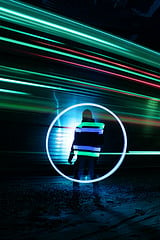 First, see if there is a manual mode on your camera. Mine has a dial where green is Auto, then it says P, Tv, Av, M, C. It’s the M for manual on mine. If there is no “M”, consult the camera handbook, but if your camera isn’t like 5 years old you probably have manual.
Once on, look for the exposure settings it should say 15” and F8.0. The first number is the length of the exposure or shutter speed, (good chances you have a 30 seconds limit, I have a 15 seconds limit). The second number is the F Stop, the amount of light let into the camera during specified time.
My camera’s F Stop goes from f/2.8 (the widest opening letting in the most light) to f/8.0 (f/8.0 is very common for point and shoots). On mine I have to hit a different button to change the cursor from the time to the f stop and back, you may have to do this too. Also make sure to turn the flash off. Look for the symbol where it has a lighting in a Ghostbusters sign – if you are not old enough to know Ghostbusters, this is how the sign looks.
Shooting with the point and shoot camera is easy after that. Once you have it dark, and the camera set on a tripod or rock nearby, set the timer on the camera to 5 seconds – This will reduce and camera shakes from pressing the shutter release and will allow you some time to move into location.
You also need to control the amount of light that goes from your light source to the sensor. If you are using a bright light source, you may need to stop down the aperture. You can do some trial and error on this, but you need to start somewhere, so let’s wing it at f2.8 at 10”.
Settings For SLR Cameras
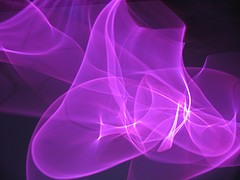 If you are using an SLR camera such as a Canon Digital Rebel or Nikon D40 you can take more elaborate long exposure photographs. The reason for this is that SLRs usually support exposures longer than 1 second. However there is an extra accessory you need to get – a cable release which allows you to keep the shutter open as long as needed. They cost 20 or 30 dollars, but it is worth it after you get all excited about light painting which you will.
Set your camera to Bulb for the exposure time setting. If you were going up on the dial such as 10 sec, 15 sec, 30 sec, the next would be Bulb. You can hold the button down if you don’t have a cable release but you must be careful not to shake the camera on the tripod.
Take The Photograph
Once you press the shutter release, you have about five seconds to go to the other side of the camera and do you thing.
Once you are facing the camera and thephoto is “exposing” you can move your lights around to make different “brushstrokes” in the photo. You can spin lights, loop, move, twirl, throw, bounce, and much more to get different effects.
More on that in the following posts.

Udi Tirosh
Udi Tirosh is an entrepreneur, photography inventor, journalist, educator, and writer based in Israel. With over 25 years of experience in the photo-video industry, Udi has built and sold several photography-related brands. Udi has a double degree in mass media communications and computer science.



Join the Discussion
DIYP Comment Policy
Be nice, be on-topic, no personal information or flames.